Chart of accounts & journals
This guide explains your Chart of Accounts (the master list of ledgers behind every transaction) and how to post a manual journal entry for adjustments that don't come from an invoice, bill, or payment.
What this is
The Chart of Accounts (COA) is the backbone of your books — every account into which money is recorded, organised under the five heads Asset, Liability, Equity, Income, Expense. TrackBooks ships a ready-made, Schedule III-aligned chart, so most businesses never need to build one from scratch.
Most entries post automatically (an invoice posts to receivables, sales, and GST; a payment posts to the bank). A manual journal entry is for the rest — depreciation, year-end adjustments, transfers between accounts, opening balances — where you specify the debits and credits yourself.
Before you begin
- Role required: Admin or Accountant.
- Know your double-entry: a journal must balance — total debits equal total credits.
Browse the Chart of Accounts
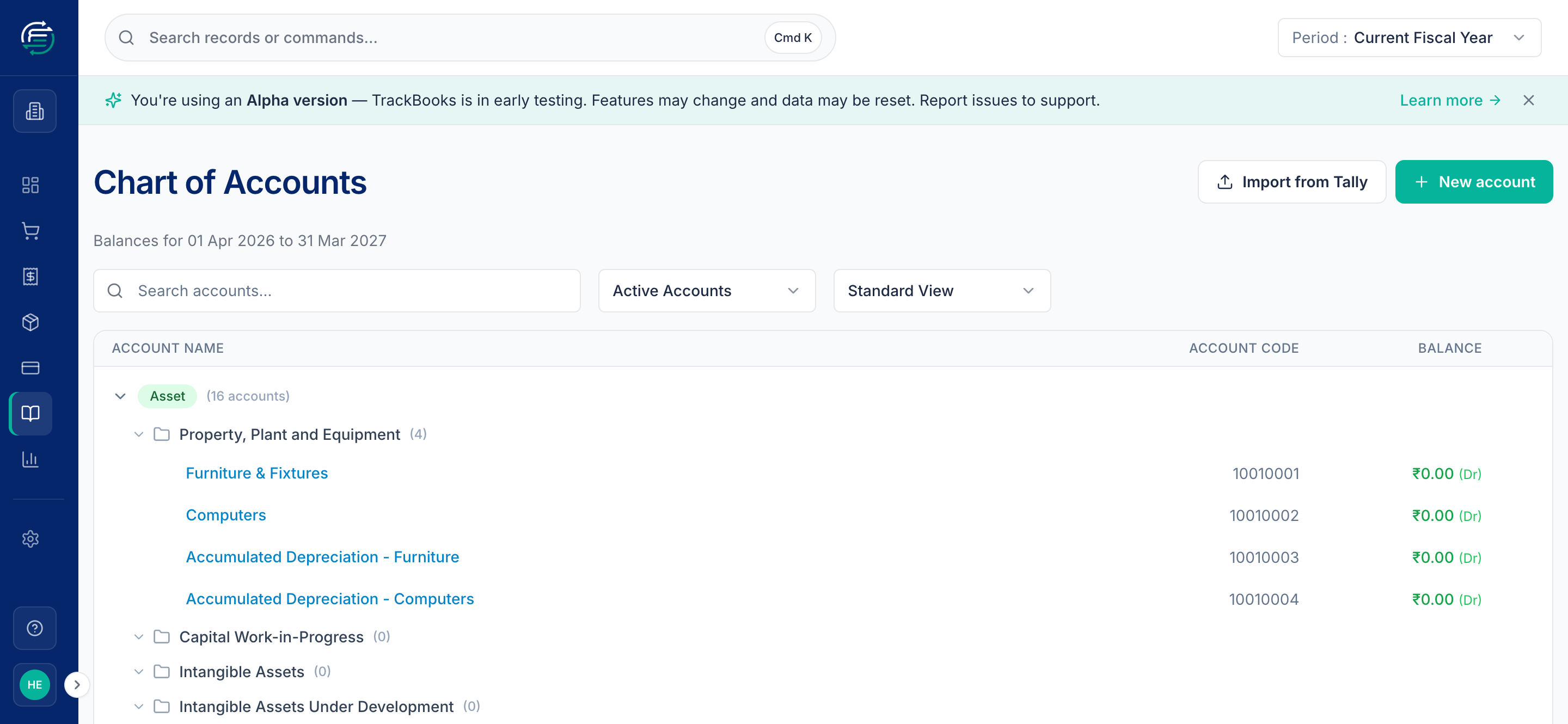
Go to Accounting → Chart of Accounts. Accounts are grouped under their heads, each with an 8-digit code and its current balance. Search to jump to any account; click one to open its ledger (every transaction that touched it).
Add an account when you need one
Use New account to add a ledger — pick its Account Group (e.g. Bank Accounts, Other Expenses), give it a name, and TrackBooks assigns the code. This is exactly how you add a new bank ledger before adding a bank account.
Post a manual journal entry
Go to Accounting → Journals → Create. Then:
- Set the Date; the Journal # is auto-assigned (e.g.
MJ-0001). - Write a Note describing the entry (required — it's your audit explanation).
- Add at least two line items: pick the Account, then enter a Debit or Credit. Add more lines as needed.
- Watch the totals — debits must equal credits before you can post.
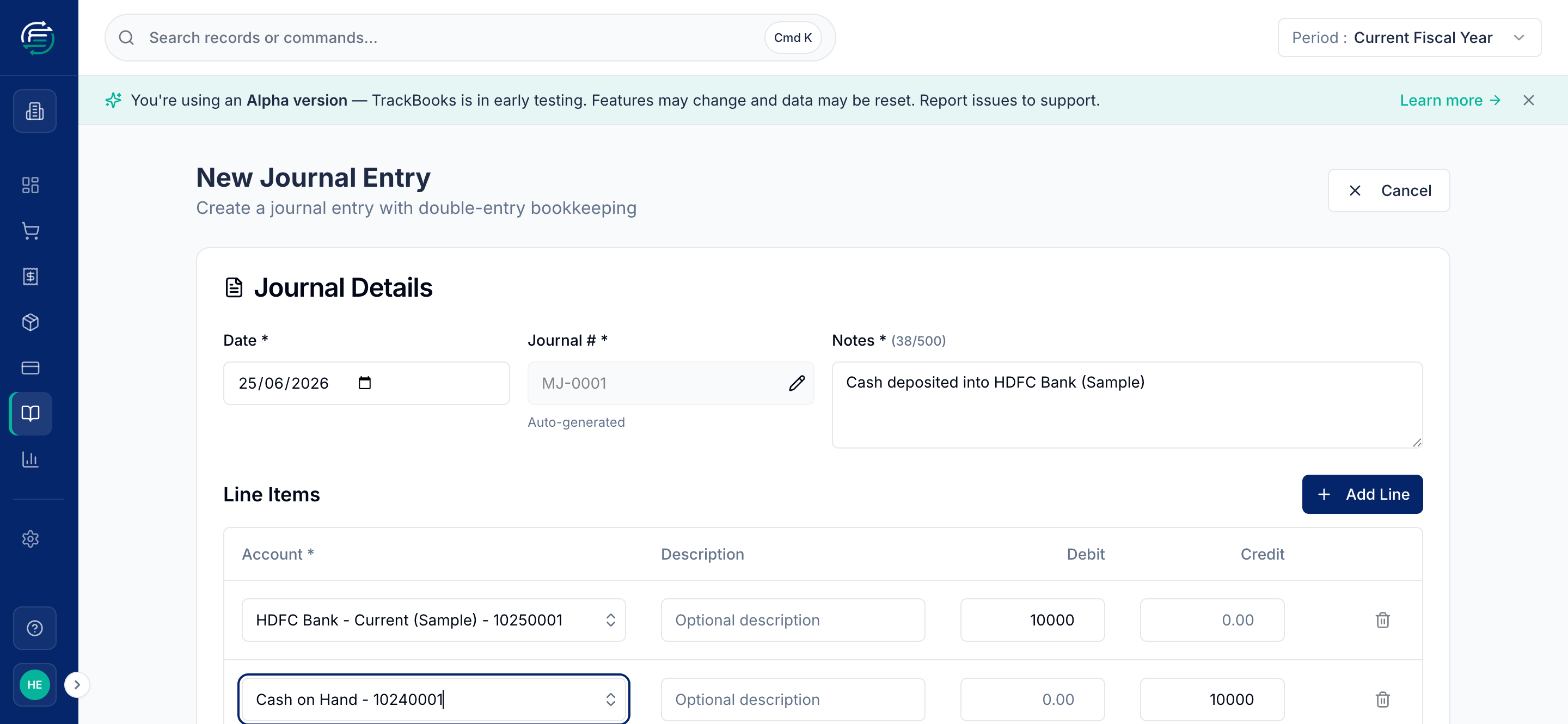
The example above moves ₹10,000 from cash to bank: HDFC Bank debited ₹10,000, Cash on Hand credited ₹10,000 — balanced.
Click Save and Publish to post it (or Save as Draft to finish later). Publishing updates the affected account balances immediately.
Tips & common issues
Don't manually journal things the app posts for you
Let invoices, bills, and payments create their own entries — posting a manual journal to sales or GST accounts can double-count and break your GST returns (which read from invoices, not manual journals). Use manual journals for adjustments only.
Link to an invoice or bill when relevant
The Link to Invoice / Bill option ties an adjusting journal back to a specific document, keeping the trail clear.
Related guides
- Financial reports — the Trial Balance is your COA at a glance.
- Import from Tally — bring an existing chart of accounts in from Tally.