Financial reports
This guide covers TrackBooks' financial reports — the Trial Balance, Profit & Loss, Balance Sheet, Cash Flow, and the sales/expense and aging reports — all built live from your posted transactions, and all exportable to PDF or Excel.
What this is
You don't prepare these reports in TrackBooks — you just read them. Every posted invoice, bill, payment, expense, and journal feeds the ledgers in real time, and the reports render from those ledgers whenever you open them. Change the period at the top of any report to see a different financial year or date range.
All reports share the same controls: a period selector, Summary / Groups / Detail view levels, an Include Zero Balances toggle, and Download PDF / Download Excel.
Before you begin
- Role required: any role (View Only can read reports).
- Find them under: Reports in the sidebar (the GST returns live there too).
The three core statements
Trial Balance
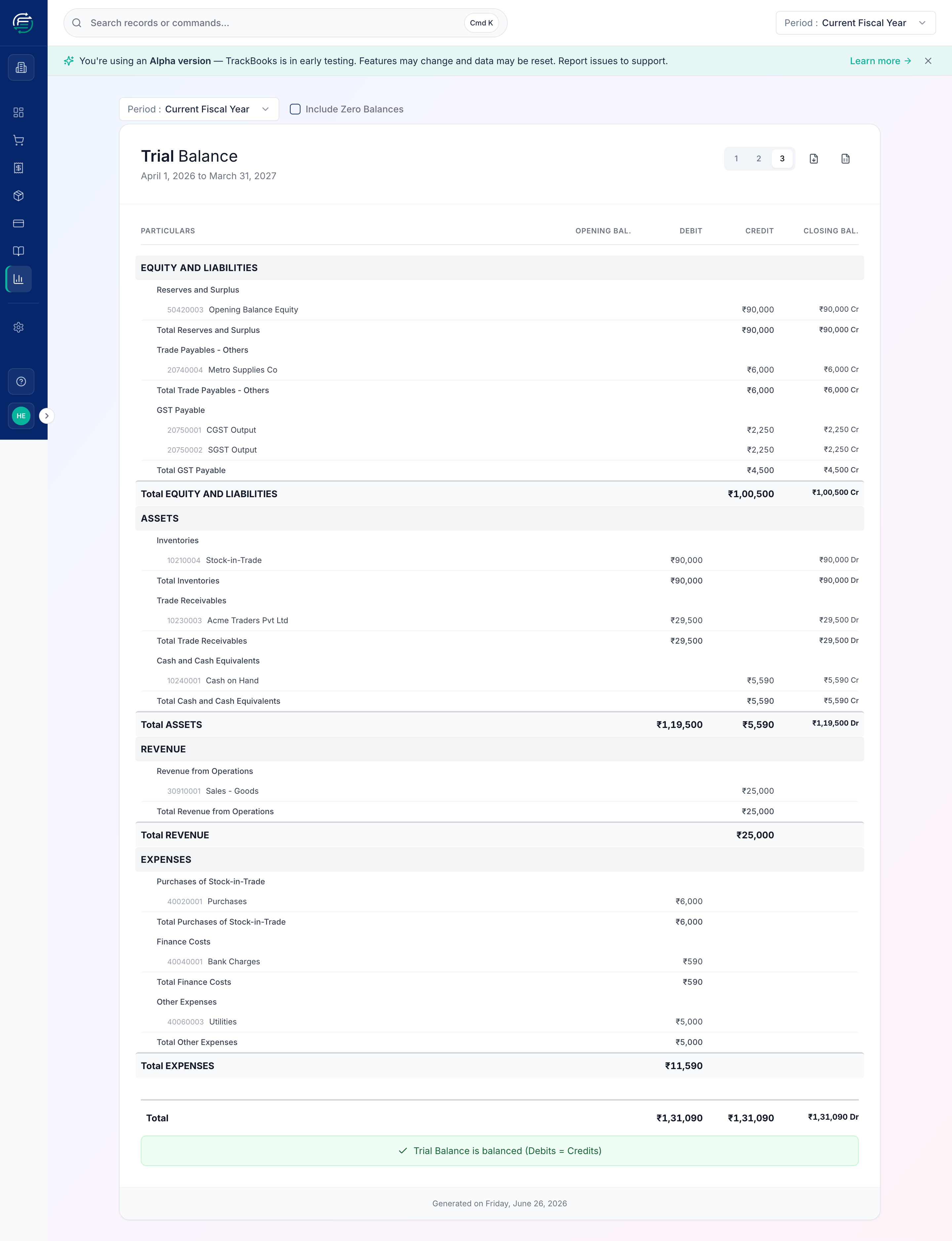
Reports → Trial Balance lists every account with its opening balance, period debits and credits, and closing balance. It's your fastest integrity check — the footer confirms "Trial Balance is balanced (Debits = Credits)".
Profit & Loss
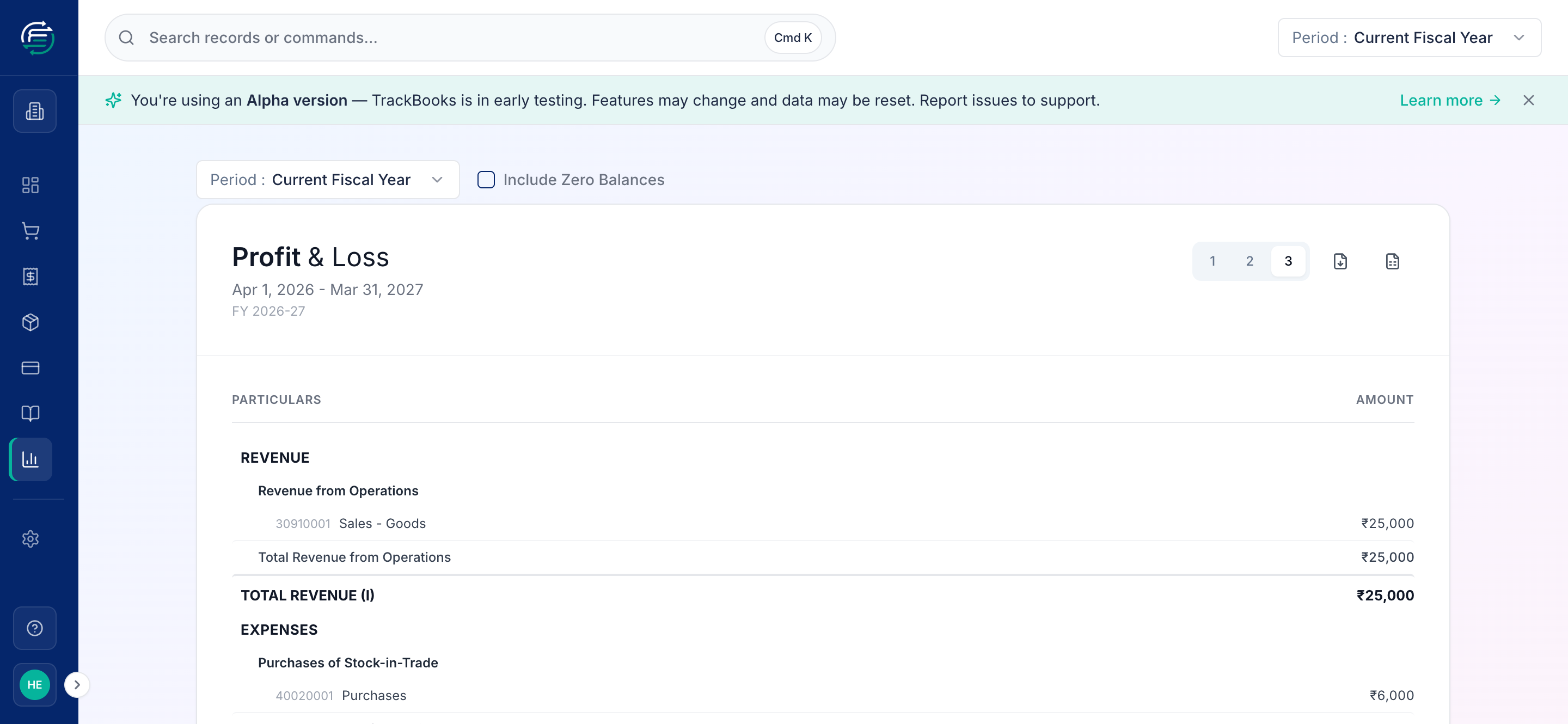
Reports → Profit & Loss shows income minus expenses for the period, ending in your Profit/(Loss) for the period. Here, ₹25,000 revenue less ₹11,590 expenses gives a ₹13,410 profit.
Balance Sheet
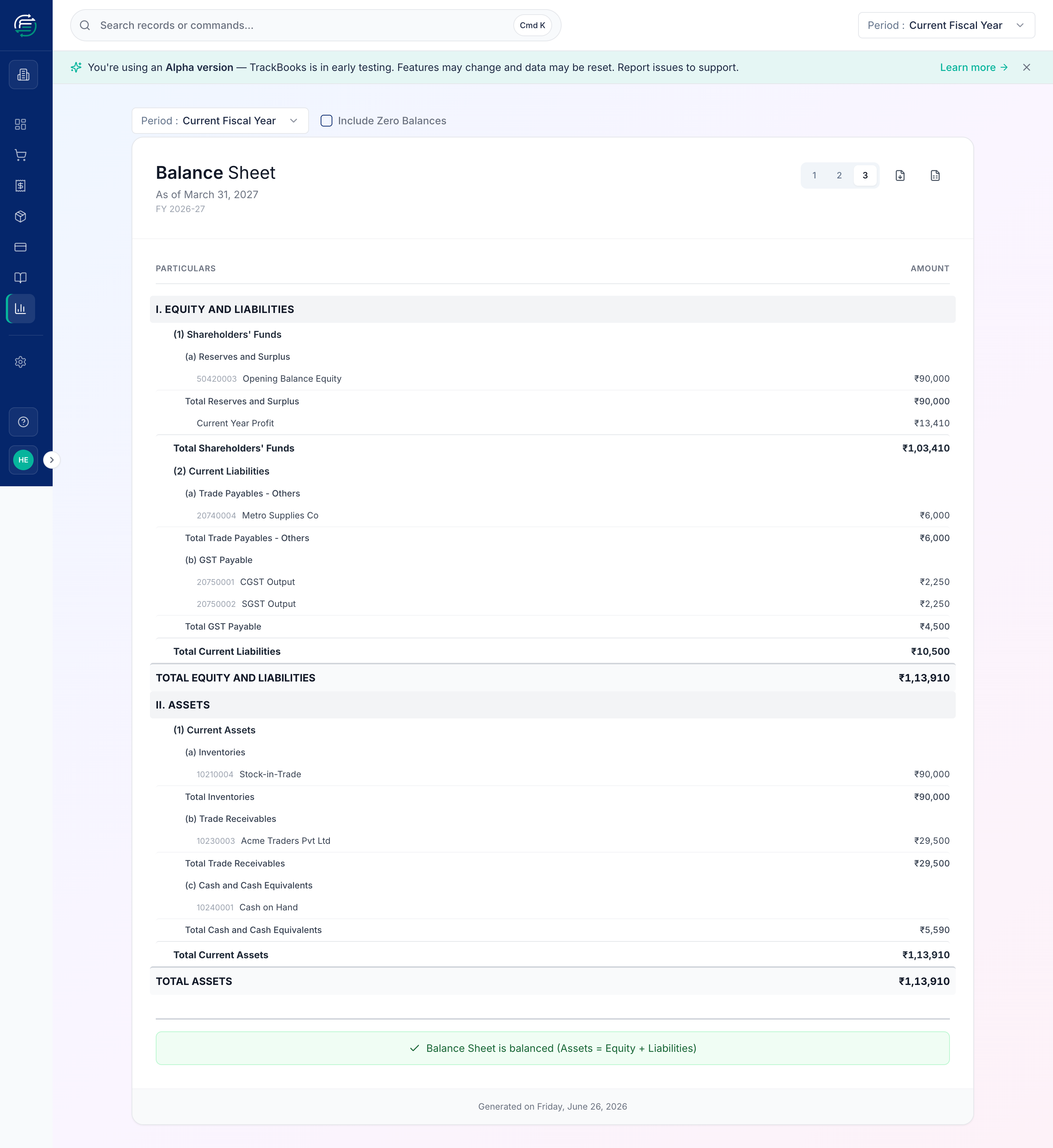
Reports → Balance Sheet shows your financial position as of a date, in Schedule III format (Equity & Liabilities vs. Assets). The footer confirms it's balanced (Assets = Equity + Liabilities). Note the current-year profit from the P&L flows into Shareholders' Funds automatically.
Operational reports
Beyond the statements, TrackBooks gives you working reports:
- Cash Flow Statement — where cash came from and went (operating / investing / financing).
- Sales Report and Expense Report — registers of your sales and costs for the period.
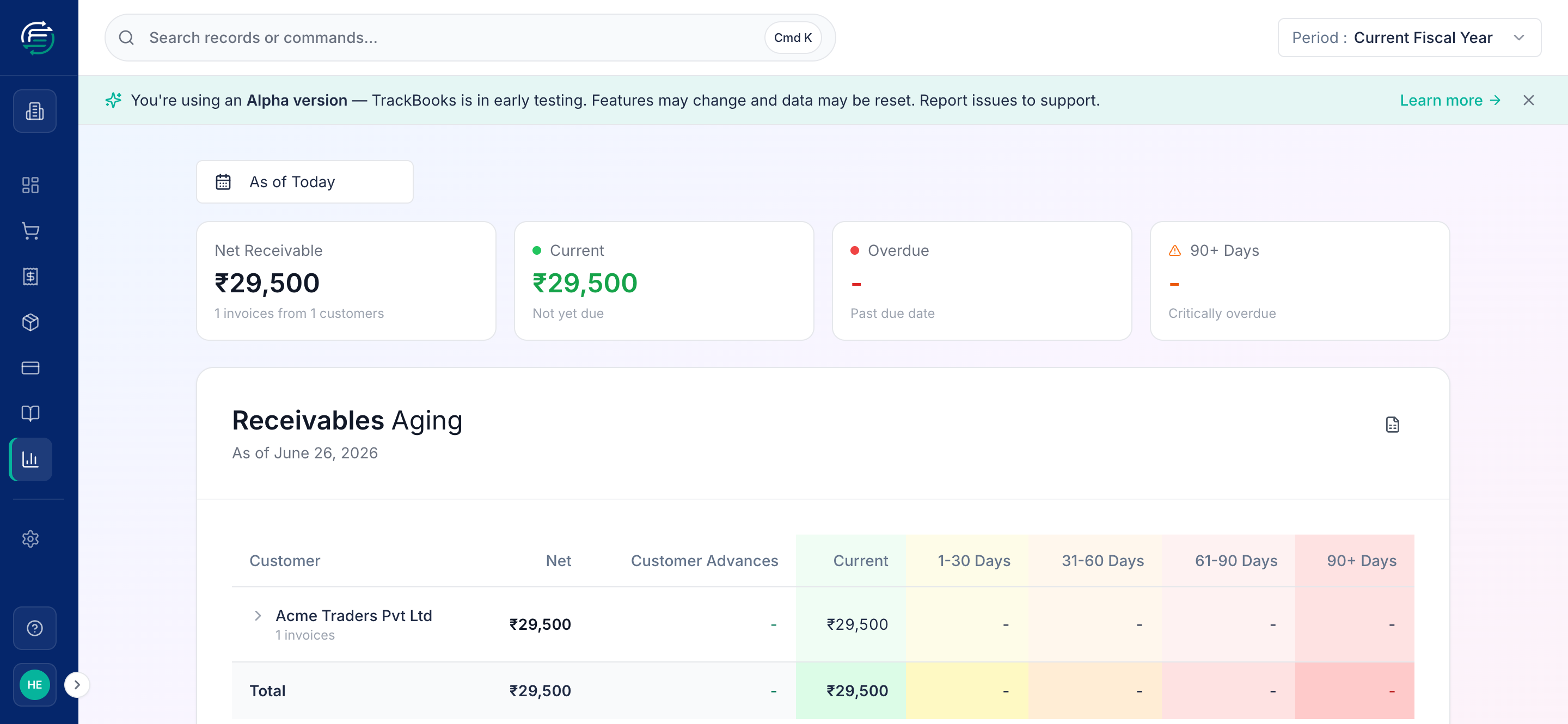
- Receivables Aging / Payables Aging — who owes you (and whom you owe), bucketed by how overdue the amount is. Aging buckets are configurable in Settings → Reports & Aging.
- Bank Reconciliation Statement — covered in Reconcile a bank statement.
Tips & common issues
Use the view levels
Switch between Summary, Groups, and Detail (the numbered buttons) to zoom from a one-line overview down to individual ledger accounts — handy when a number looks off and you want to drill in.
Reports show posted data only
Drafts and in-review invoices/bills don't appear until posted. If a report looks low, check for unposted documents and confirm the period is the one with your data.
Export for your accountant or filing
Every report has Download PDF (for sharing/printing) and Download Excel (for further analysis). The Trial Balance Excel is a common hand-off to an external auditor.
Related guides
- Chart of accounts & journals
- File GSTR-1 and GSTR-3B & GSTR-2B — the tax returns.