Products & inventory
This guide shows you how to build your product/service catalog and — for goods you stock — how to track inventory, adjust stock, and read the inventory reports.
What this is
A product (or service) is a reusable catalog item with its HSN/SAC code, GST rate, unit, and prices. Adding items to your catalog means you can pick them on invoices and bills instead of retyping — and the correct tax and HSN flow through automatically. For physical goods, turning on Track inventory also keeps a live count of stock on hand and its value.
Before you begin
- Role required: Admin or Accountant.
- Decide: is the item Goods (something you stock and count) or a Service (something you perform)? Only goods can be inventory-tracked.
Activate inventory tracking (one-time)
Turning the inventory module on is not enough on its own — you must confirm how tracking starts before any stock moves. Until you do, you can create products, but purchases and sales post as accounting only (no stock movement) and the inventory reports stay empty. A banner on the Products page links you to the setup.
In Organization Settings → Accounting Preferences, pick one:
- Start with zero opening stock — you had no stock on hand at your books-beginning date. One click confirms it; tracking begins from that date.
- Enter opening stock / mid-year takeover — upload a baseline of what you held on hand as of the start date (your books-beginning date, or a later takeover date if you already ran the business without inventory tracking).
Once confirmed, stock movements begin and the choice is locked in.
Opening stock is a starting balance, not a correction
Opening-stock fields are only for items with no movement history yet. Once an item has any purchase, sale, or adjustment, correct its quantity with a Stock Adjustment — the opening fields are frozen so your books can't be silently backdated.
Add a product or service
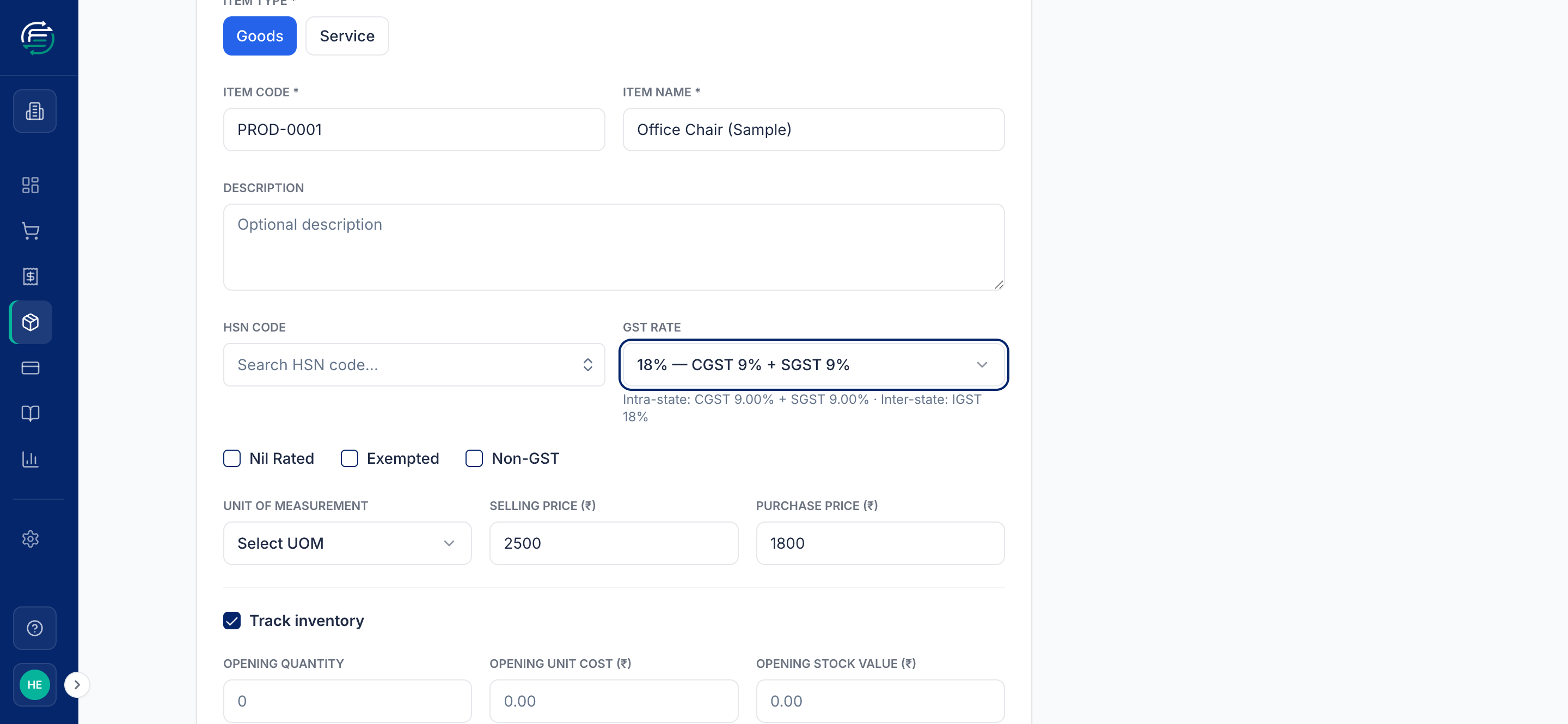
Go to Inventory → Products & Services → Create. Fill in:
- Item Type — Goods or Service.
- Item Code and Item Name.
- HSN Code and GST Rate — the rate shows its CGST/SGST/IGST split. (Or tick Nil Rated, Exempted, or Non-GST for special cases.)
- Unit of Measurement, Selling Price, and Purchase Price.
- Track inventory — tick this for goods you want to count. That reveals opening stock fields (opening quantity, unit cost), plus Minimum Stock and Reorder Level for low-stock alerts.
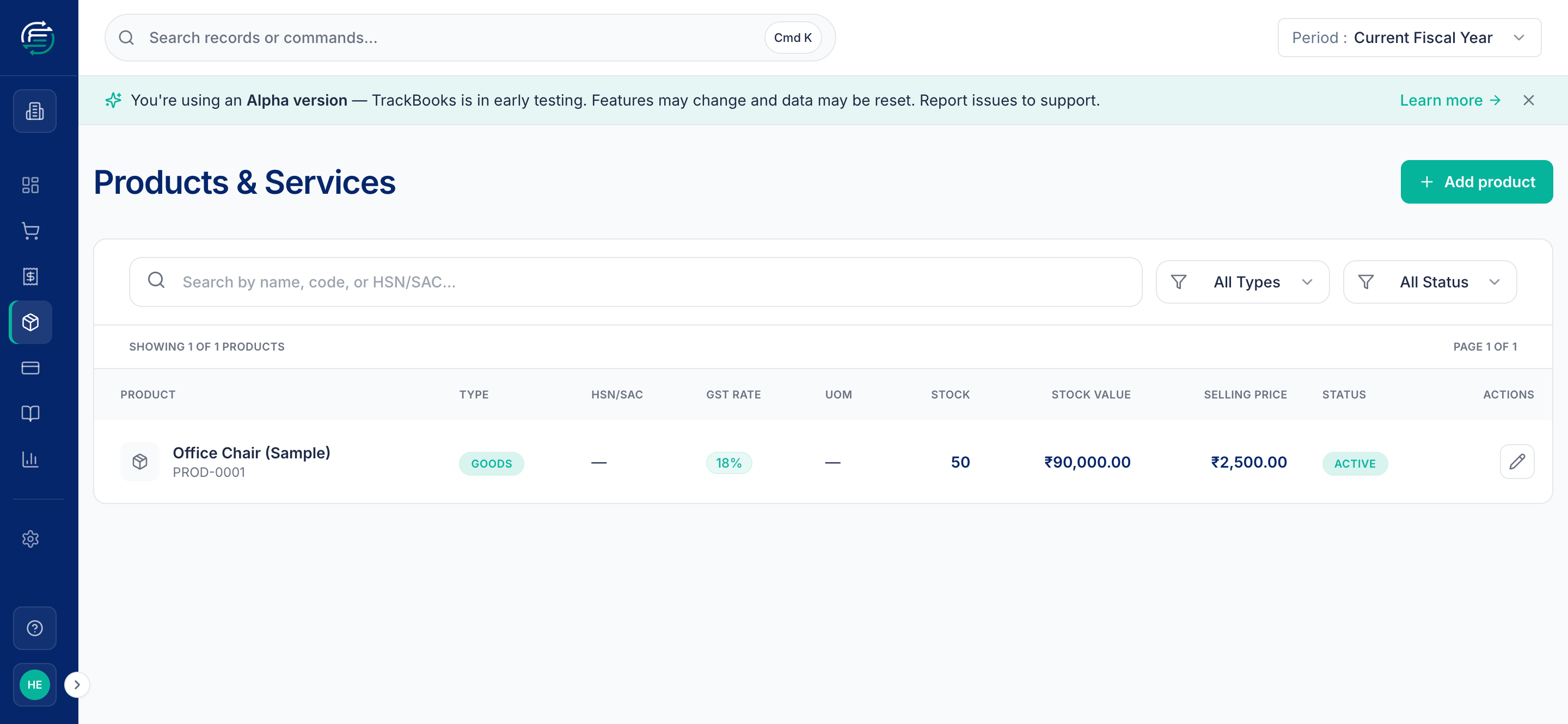
Click Create Product. It now appears in your catalog and is available on invoices and bills.
Adjust stock
When your physical count differs from the system — breakage, samples, a stock-take correction — record a Stock Adjustment under Inventory → Stock Adjustments. You choose the item and enter the increase or decrease; TrackBooks updates the quantity on hand and the inventory value accordingly.
Read the inventory reports
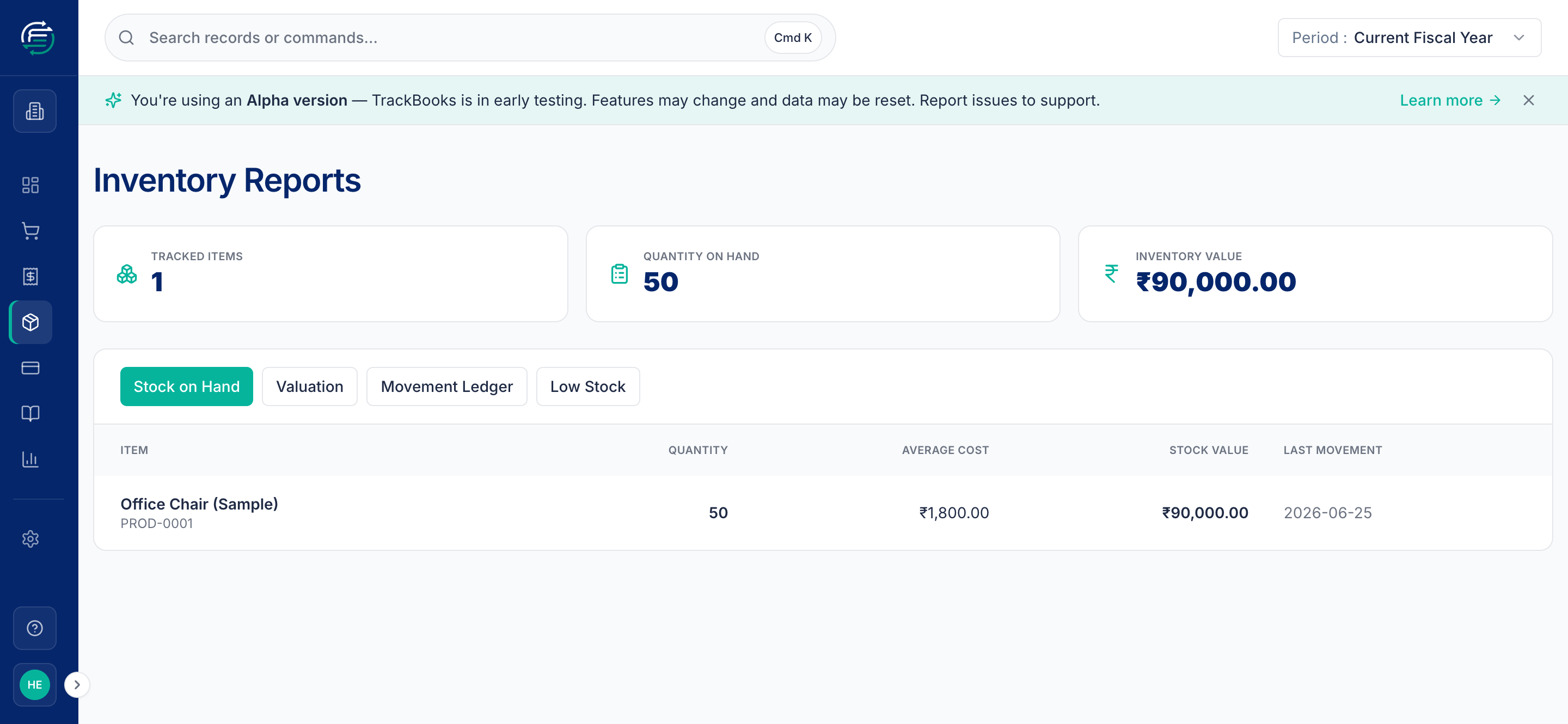
Inventory → Inventory Reports gives you a live position — tracked items, total quantity on hand, and total inventory value — with four views:
- Stock on Hand — current quantity, average cost, and value per item.
- Valuation — what your stock is worth.
- Movement Ledger — every in/out movement for an item.
- Low Stock — items at or below their reorder level.
Tips & common issues
Set a reorder level
Filling in Reorder Level when you create a product makes the Low Stock report actually useful — items drop onto it automatically when they run low.
You can't sell more than you have
TrackBooks blocks a sale (or any stock-out) that would take an item's quantity below zero, telling you exactly what's short. Record the purchase or opening stock first, then post the sale. This keeps your cost of goods sold and stock valuation accurate.
Services don't carry stock
Mark labour, consulting, and the like as Service items — they still carry an SAC code and GST rate, but there's nothing to count, so inventory tracking doesn't apply.
Related guides
- Create & post a sales invoice — pick catalog items on invoices.
- Create & post a purchase bill — receive stock via bills.